
With your feedback, we have made several updates to the app when it comes to viewing assignment and self enrollment records as an admin and coach.
Our goals with these updates:
- Simplify viewing progress on content and provide clearer access to historical records on activity
- Make it easier to see if someone has ever completed a content item, no matter where it was done
- Align statuses and filters to ensure accuracy and consistency
What's new for Admins and Coaches
We have consolidated tabs from assigned learners, self-enrolled learners, course results, and learning records down to Assignments and Learning records.
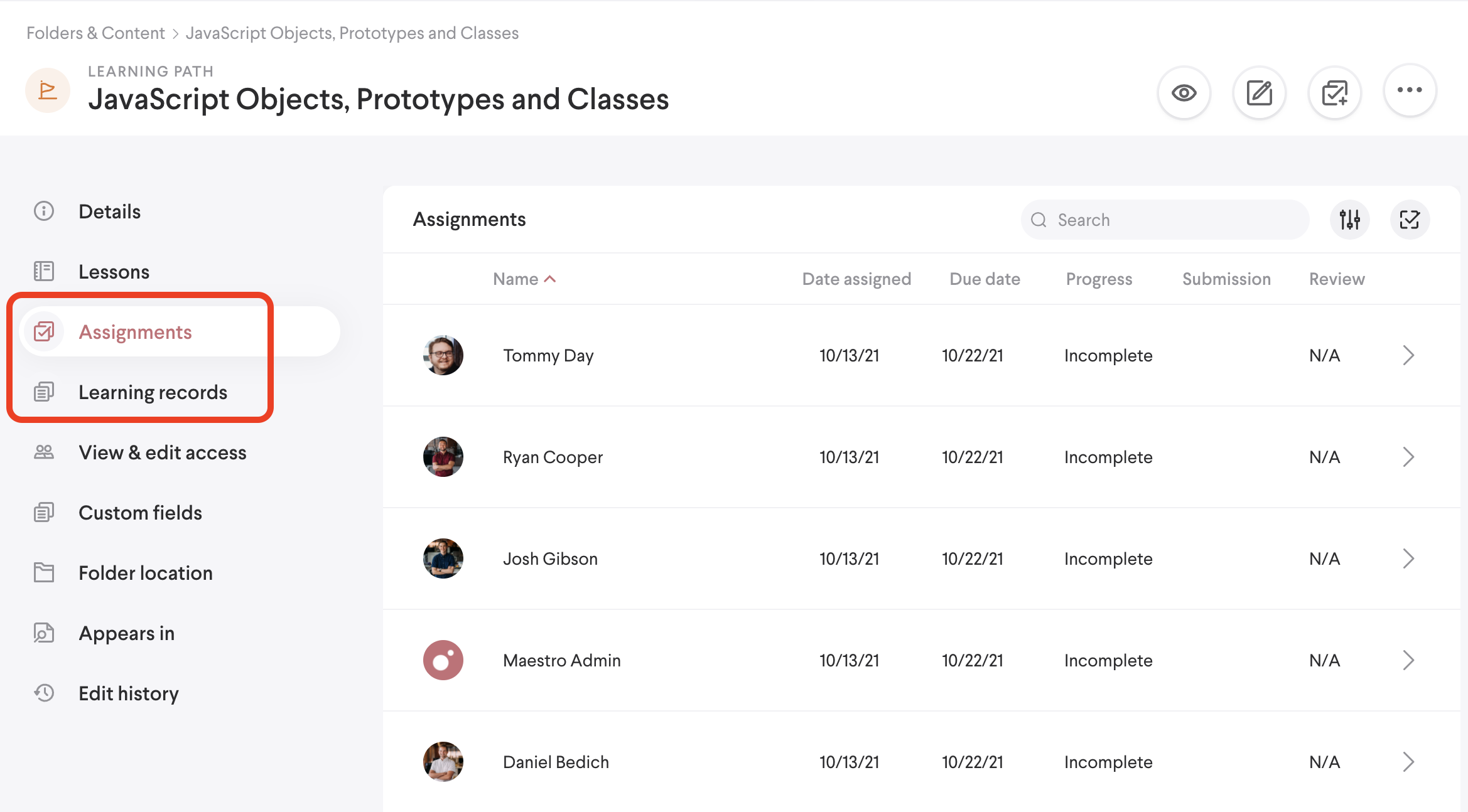
Assignments
You can check progress and submissions for any user assigned (when viewing the content) or for all content assigned to a user (when viewing an individual). Archived assignments are filtered out by default but you can use the filter to display those as well if needed. You may also notice that search is available again and that we've updated the filters to assist with narrowing down table results. Additionally, when viewing content, you can now filter by groups.
Learning Records
This table now includes ALL activity, whether assigned or self-enrolled. Use this section to see any and all learner activity, and use search to narrow down your results. You can also use filters to focus on specific users, or content types.
When you look at a learning record, click on the record to see more details. You may find it helpful to see how many times a learner has interacted with an item (shown as attempts) and which versions they’ve interacted with (shown as revisions).
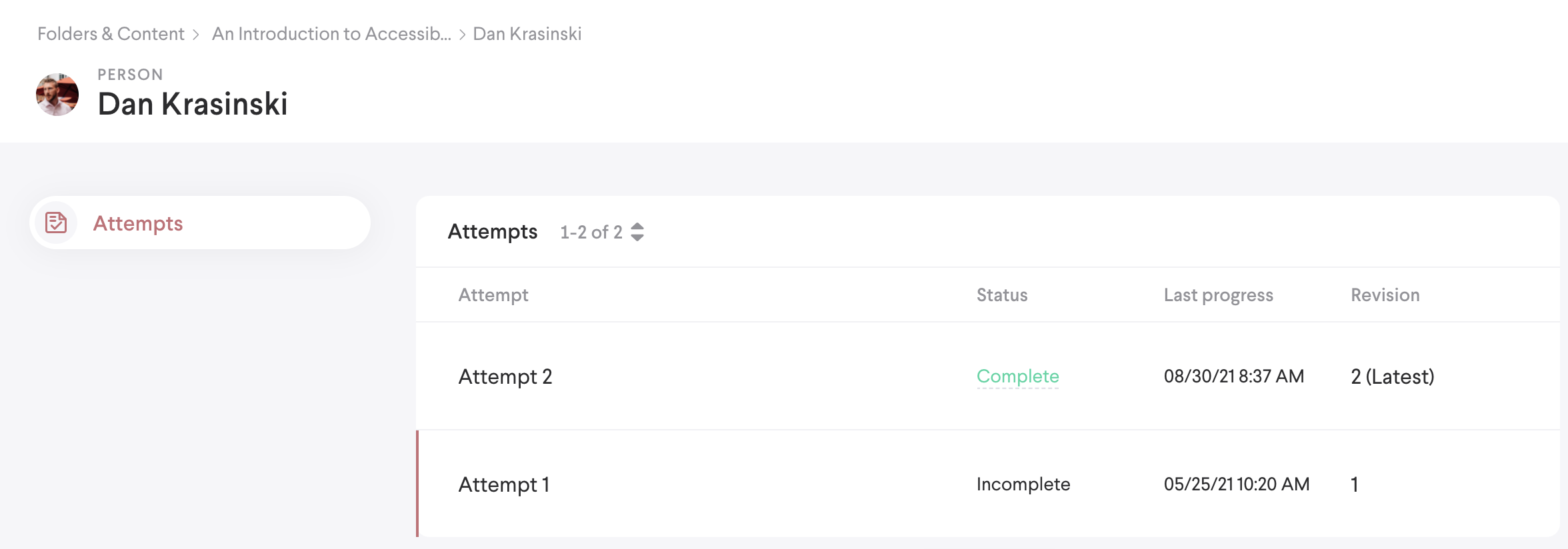
The new attempts screen that displays all records a learner has for a specific content item
Comments
0 comments
Please sign in to leave a comment.