
14.16.06
September 28, 2022
-
- Accreditations: The form was not allowing users to create a program due to an issue with the accreditation select dropdown
14.16.05
September 28, 2022
-
- User Engagement report: Custom fields have been added
- Content Progress report: Title and Division have been added
-
- Learner progress (assignments and learning records) were inaccurate when viewing as a Coach
14.16.04
September 23, 2022
-
- Badges could not be created when using the Content Completion criteria
14.16.03
September 22, 2022
-
- Workflow Inventory Report additions: Created At, All Time Affected Users
14.16.02
September 16, 2022
-
- Section titles have been added to the Content Hierarchy report
- Assigned At has been added to the Content Progress Report
14.16.01
September 14, 2022
- We've added a Workflow Inventory Report
- Workflow ID, Workflow Title, Status, Last Modified, Groups, Time of Last Run, Users Assigned on Last Run
14.16.00
September 9, 2022
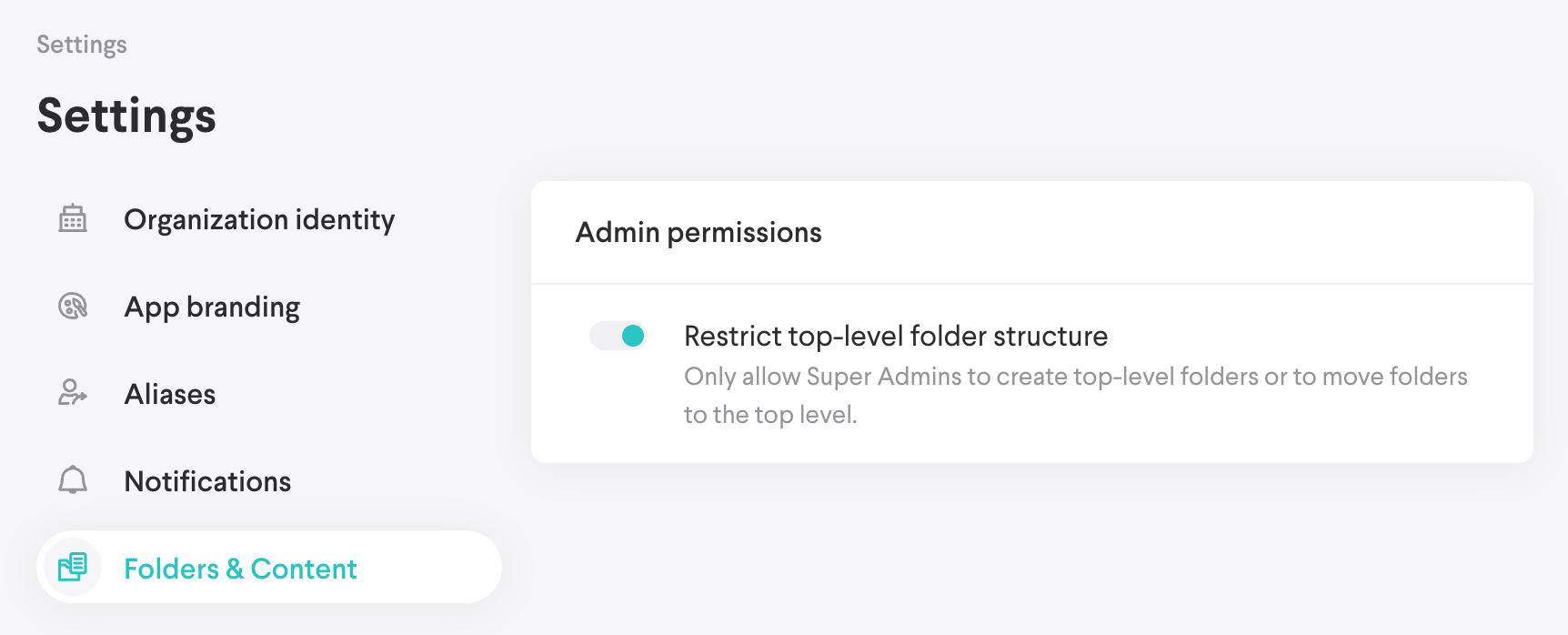
Top level folder settings
- You can now limit the creation of top-level folders to super admins. When enabled, content admins will be limited to creating subfolders beneath the root level.
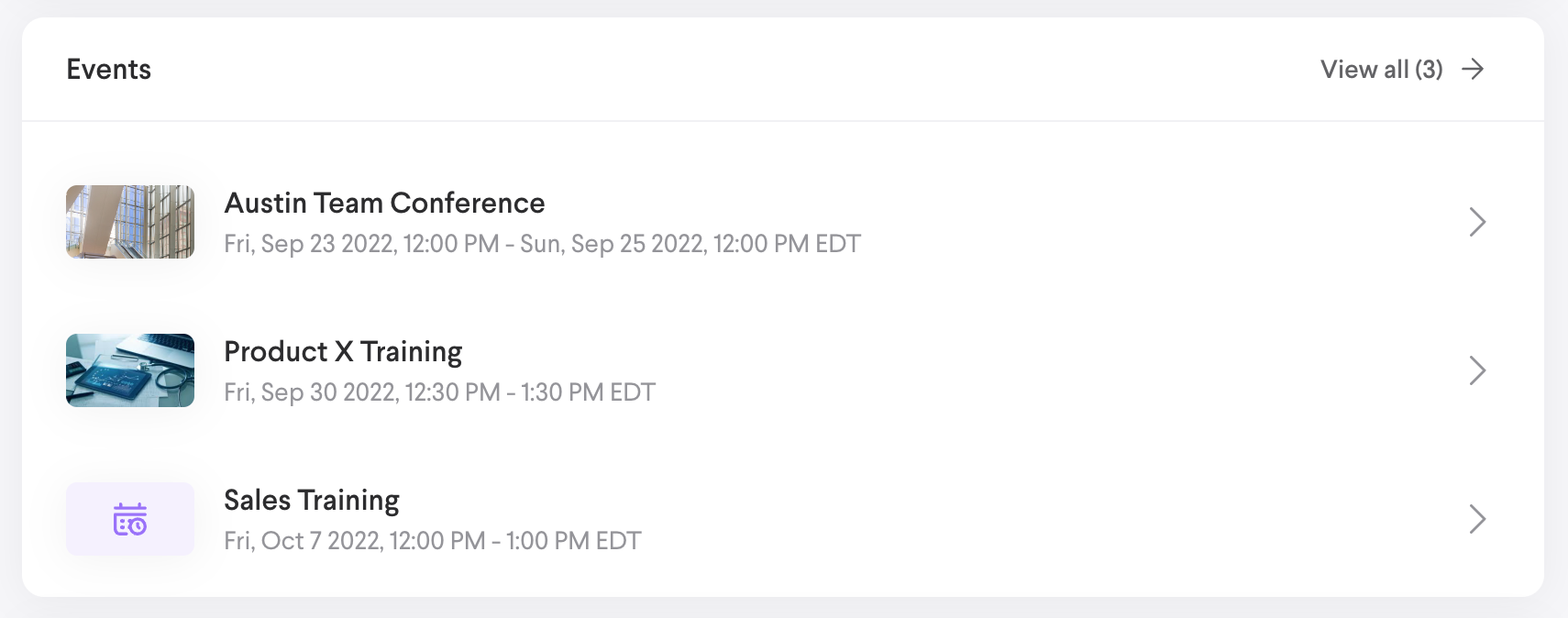
Events
Create a centralized list of upcoming events for things such as conferences, ongoing training, product launches, and more. Read more here.
What’s fixed
- To account for an Articulate issue where courses occasionally report a Passed status but not Complete we will update the Completion status to Complete.
14.15.02
September 7, 2022
-
- There was an issue with syncing to search when content was added to a tag
14.15.01
September 2, 2022
- Certifications: The Require Approval toggle was always enabled and could not be edited
14.15.00
August 31, 2022
- The Profile page is now fully responsive down to mobile screen sizes. Your account information, settings, password reset action, learning records, etc. are still available, just in a slightly different location.
- Any content was selectable when adding items to a Learning Path, which should only be limited to lessons.
14.14.12
August 25, 2022
- Media could not be saved
14.14.11
August 25, 2022
- A backend update for Honeycomb event tracking
14.14.10
August 17, 2022
- Authored content containing attachment blocks could not be saved.
14.14.09
August 15, 2022
- External content could not be downloaded without logging into the app
14.14.08
August 9, 2022
- A bug that could prevent the saving of an assignment notification in the assignment workflow
14.14.07
August 4, 2022
- Coaches were unable to view a learner's lesson progress within an assigned learning path.
14.14.06
August 4, 2022
- The preview action wasn't working for learners
14.14.05
August 3, 2022
- Badge icons were not loading when creating or editing a badge
14.14.04
August 1, 2022
- Learners were unable to unarchive their assignments without the coaching role
14.14.03
July 28, 2022
- Filter interactions and table results when searching and drilling into folders in the Content tab
14.14.02
July 19, 2022
- Authored content was unable to be saved after editing or creating
14.14.01
July 18, 2022
- Announcement images weren't displayed in emails
14.14.00
July 14, 2022
- Due date reminders (Assignments)
- Email Digest (Assignments)
- Content Expiration Digest (Content)
- Certification Enhancements
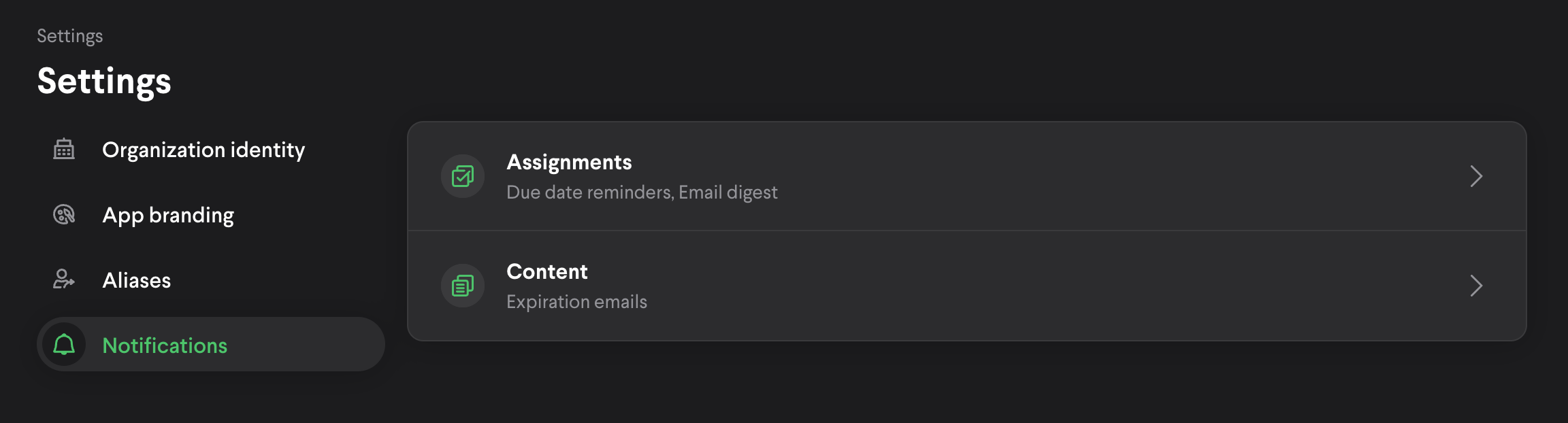
Within the Settings screen, there is a new Notifications tab.
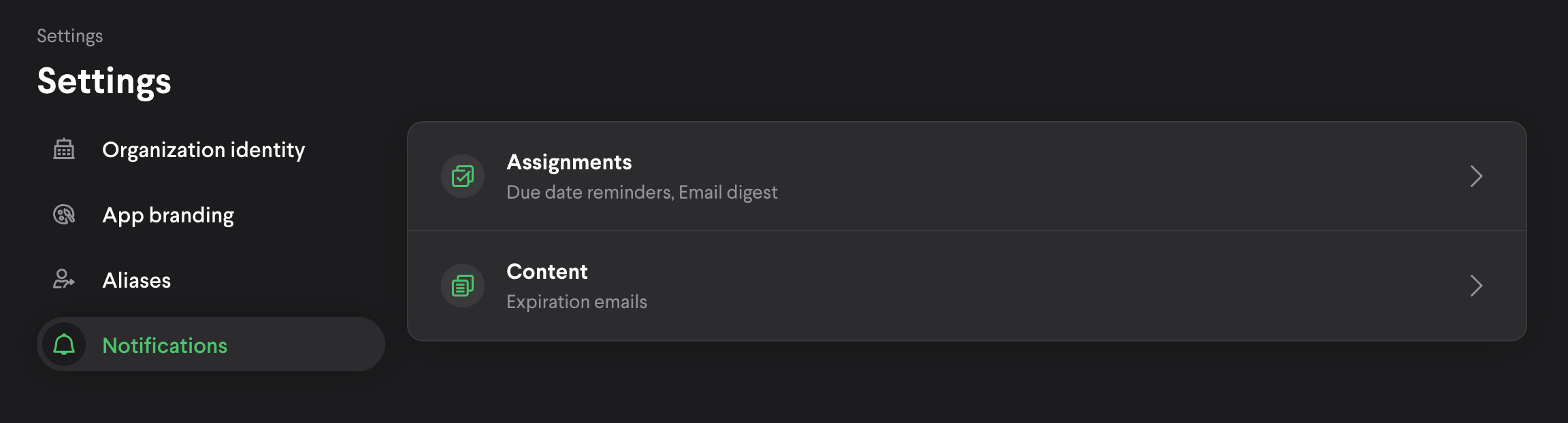
Due date reminders (assignments)
Here you will find an option to configure due date reminders and an email digest.
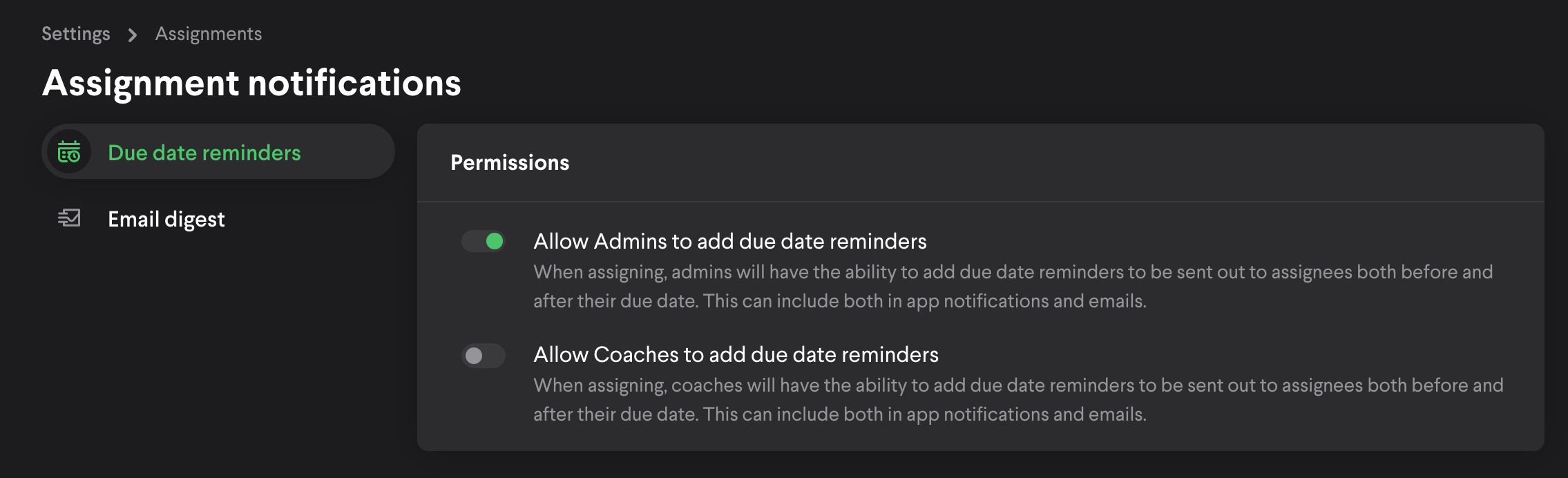
There are two levels of due date reminders, admins and coaches. When assigning, an admin/coach will see an updated Notifications section in the form.
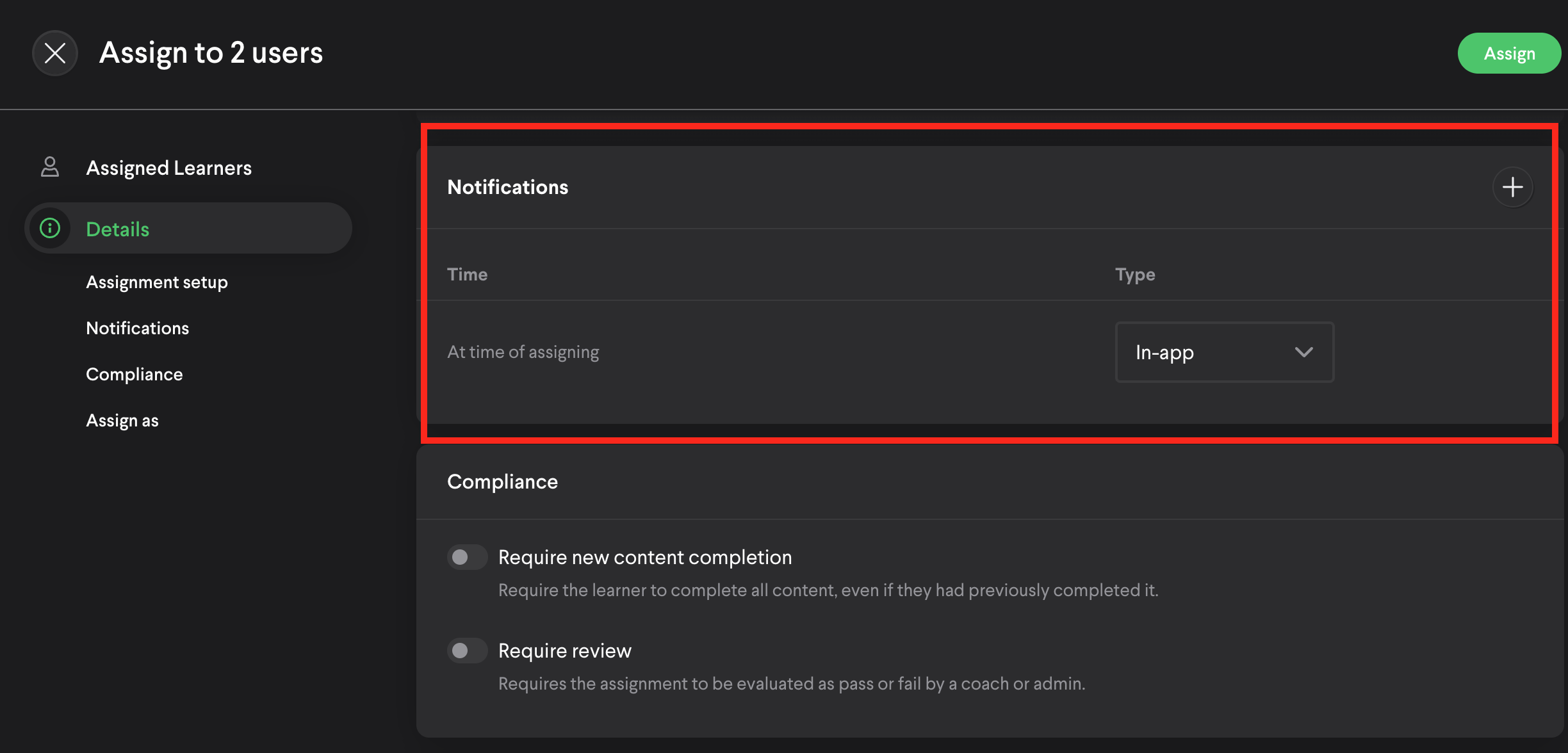
By default, there is a single row that will trigger an in-app notification when the assignment is assigned. The assigner can change this to include email. This functionality existed prior to this update, but was configured with a toggle.
To add due date reminders, you will select the ‘+’ action. This will open a form where the reminder can be configured.
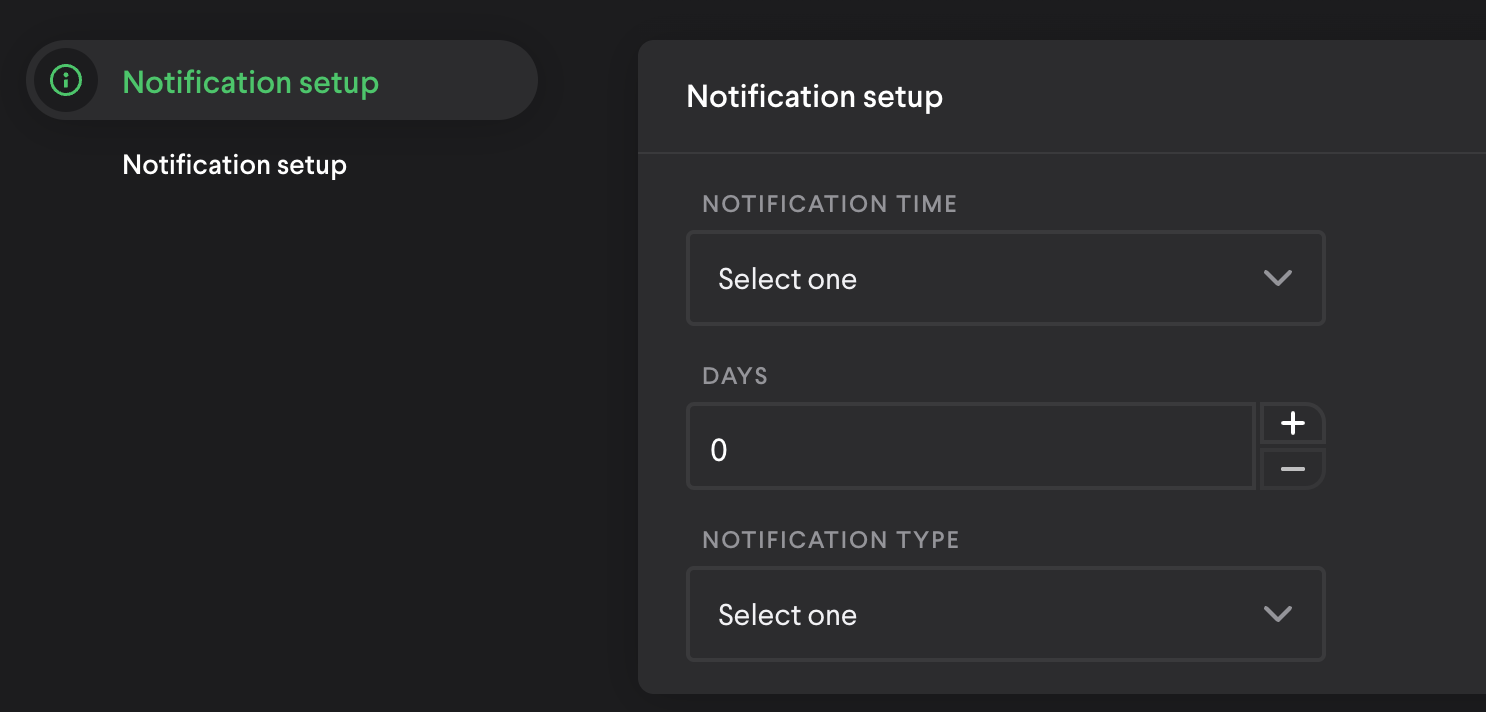
Notification Time:
- After the due date
- Before the due date
Days
- Select number of days before or after due date
Notification Type
- In-app
- In-app & Email
Once assigned, the learner will receive a due date notification at the configured cadence(s), if the assignment has not been completed by that time.
Email Digest (assignments)

If enabled, learners will receive a weekly email (sent Mondays at 9:00AM EST). The email contains outstanding assignments that are due within the next 14 days. Those due soonest will be listed first. Overdue assignments are also included. Users can select the assignment link and it will route to the assignment in Loop.
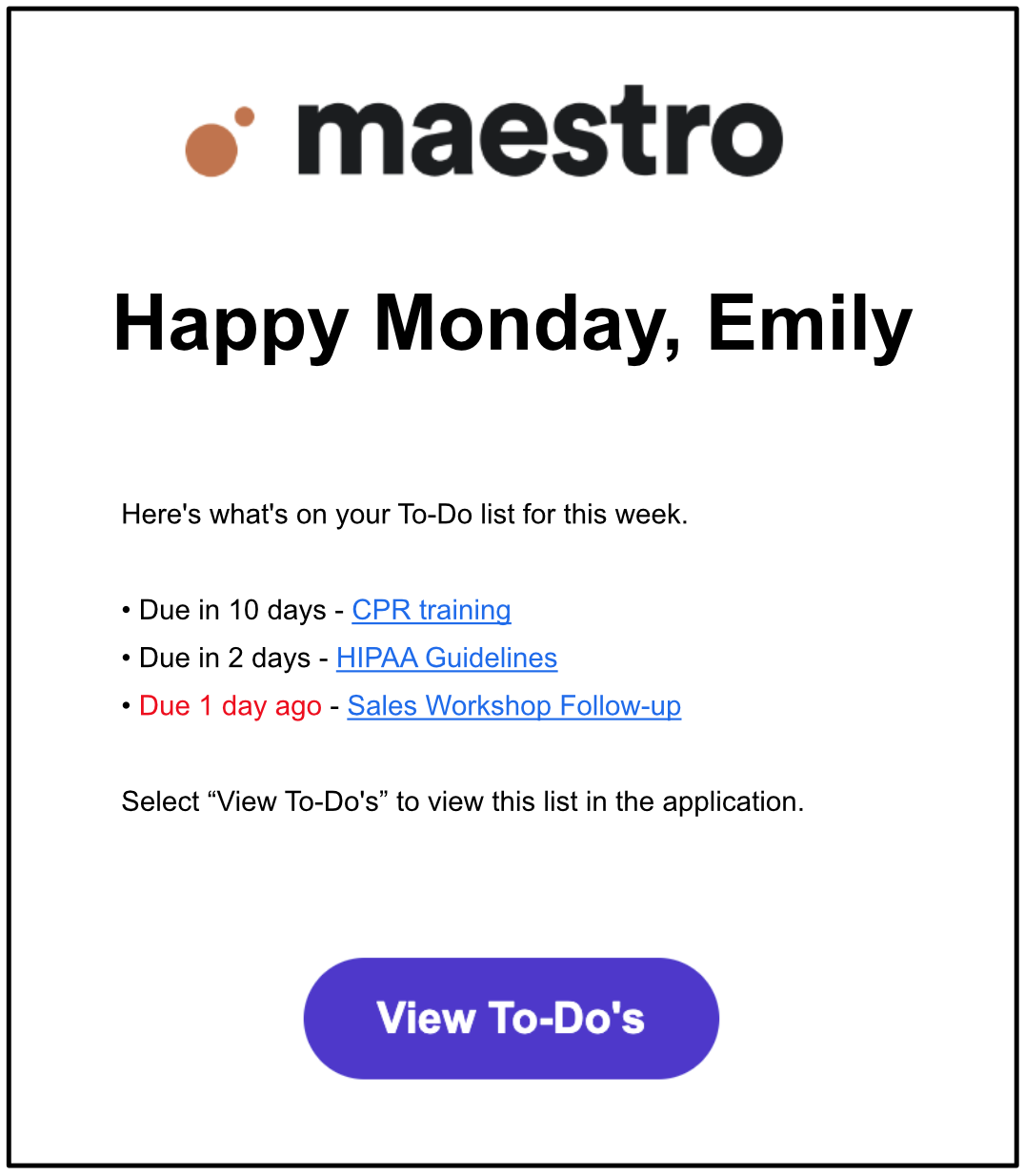
The format of the list is below:
Due in 2 days - Content ABC
Due in 6 days - Content XYZ
Due 10 days ago - Content 123
Due 24 days ago - Content 789
Content Expiration Digest

If enabled, every other week admins will receive an email, of content they own, that is expiring in the next 90 days.
The format of the list is below:
Expiring in 2 days - Content ABC
Expiring in 6 days - Content XYZ
Expiring in 10 days - Content 123
Note: Email does not contain content that has expired
Certification Enhancements
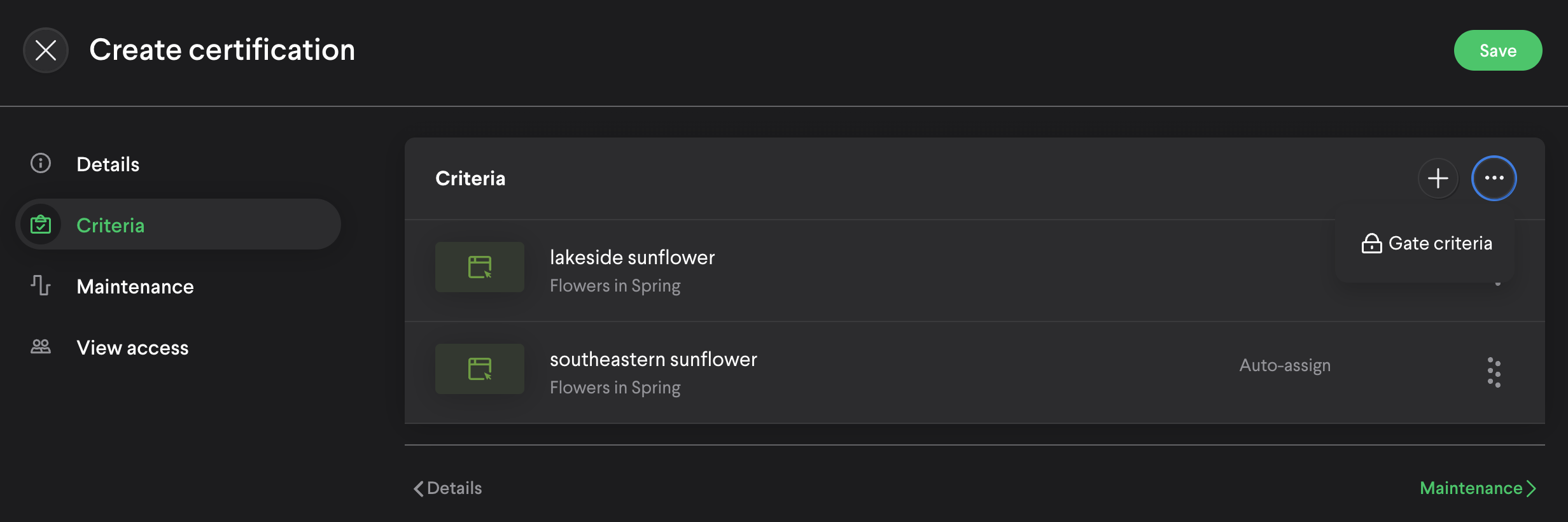
1. When updating a certification, criteria can now be sorted and gated (similar to lessons).
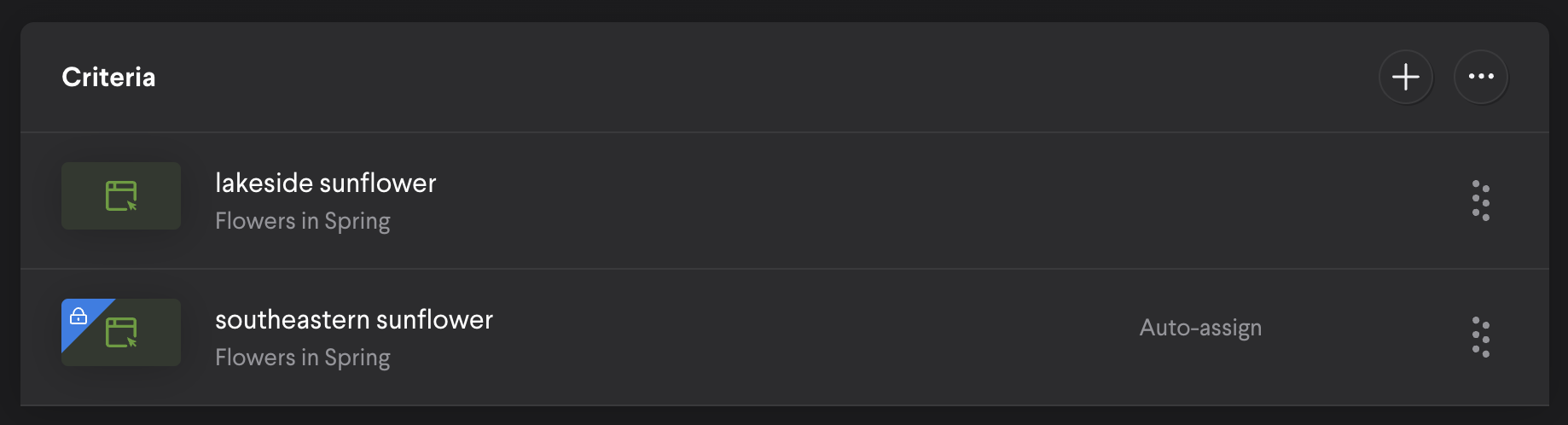
2. Criteria can be configured to be auto-assigned if the predecessor criteria has been completed.
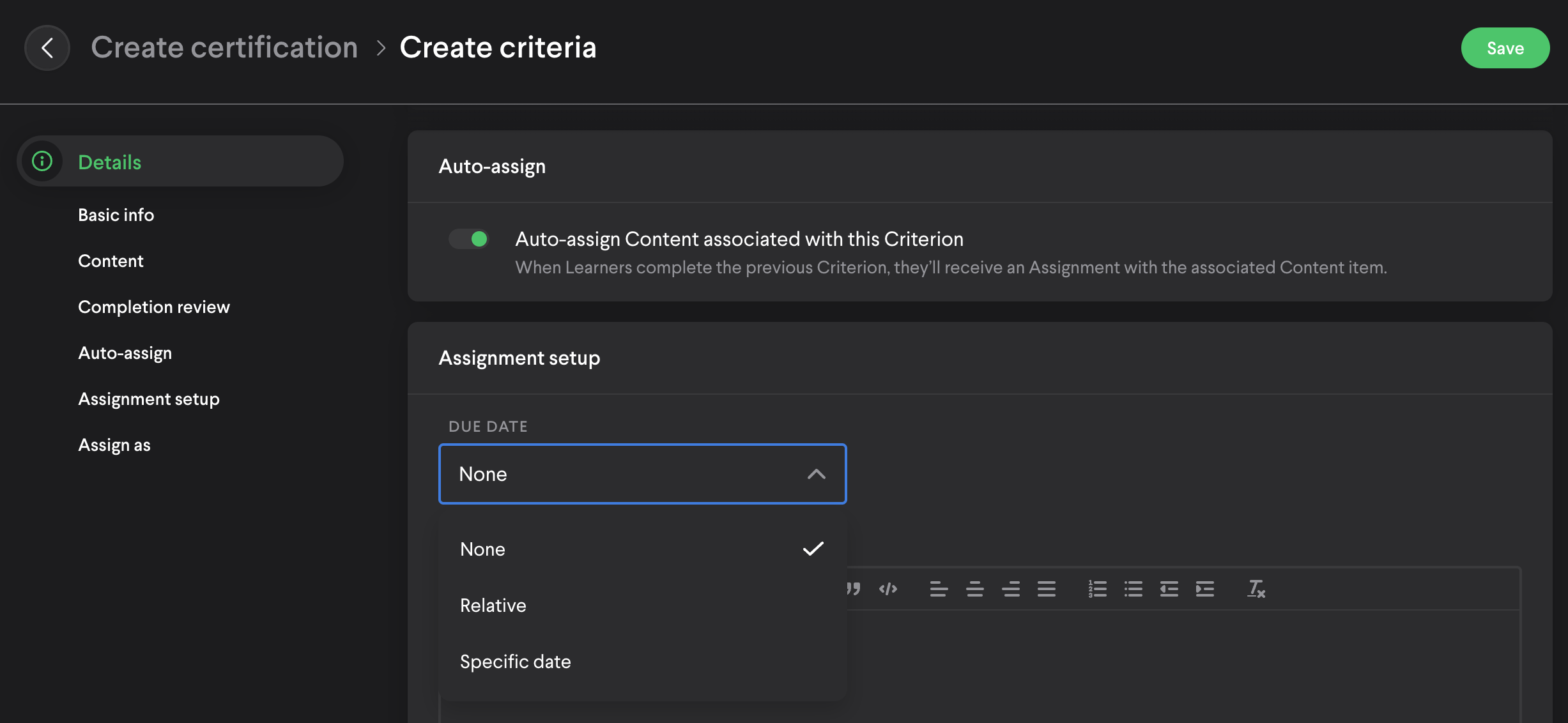
When toggling on auto-assign, you will have the option to select a due date:
- None - no due date will be associated
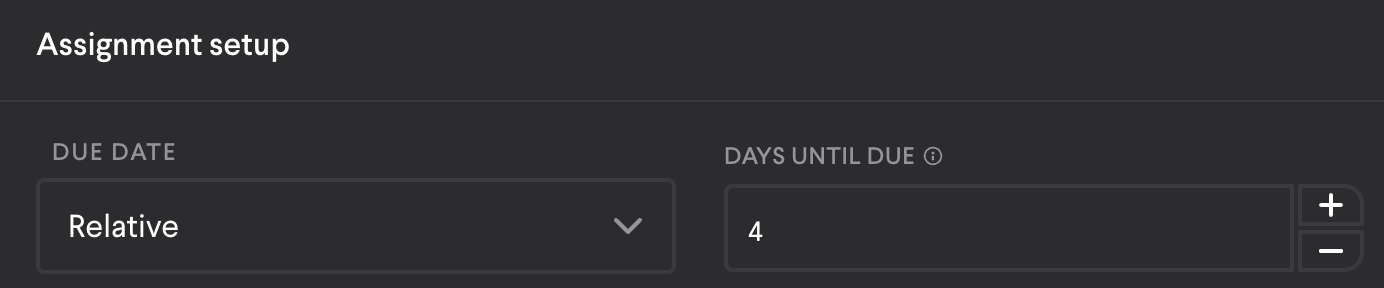
- Relative - select the number of days until due, calculated once the assignment is assigned (after predecessor is completed)
- Specific date - the date chosen will be associated (does not rely on completing the predecessor)
For example; lakeside sunflower is completed on July 1. Southeastern sunflower will then be auto-assigned with a due date of July 5.
3. When reviewing an attempt, admins and coaches can now reject the submission, requiring another attempt before the criteria can be completed. Previously, only approve was available.
14.13.13
July 13, 2022
- Some screens were missing empty states
- Content could not be created within an empty folder
14.13.12
July 8, 2022
- The announcement emails now contain the title to provide more context.
"New Announcement: Example title here"
14.13.11
July 7, 2022
- Veeva Vault syncing had stopped
Comments
0 comments
Please sign in to leave a comment.