
Did you know that multiple tenant can log in with the same email address?
It's true! Using multiple tenant login, you can log in multiple tenants with the same email address, which prevents the need for one user to manage multiple accounts to access different tenant. This also works with accounts that require SSO authentication. Users can exist with different names across tenant. The only thing that needs to be the same is the email address.
When you log into Loop, you'll always log into the most recently accessed tenant's account. Once you're logged in, you can switch tenant if you need to.
To gain access to this function, your email address has to be associated to Loop accounts across multiple tenant.
To switch between tenant while in the app, follow these steps:
- Select the profile menu in the upper right of the screen.
- Select Switch account.
- Select an account from the list.
- After making a selection, you'll be signed out and directed to into the selected tenant. If logging into an SSO enabled tenant you may need to log in again through the SSO service. After completing authentication, you will then be signed into Loop under the selected tenant.
The Switch account option looks like this: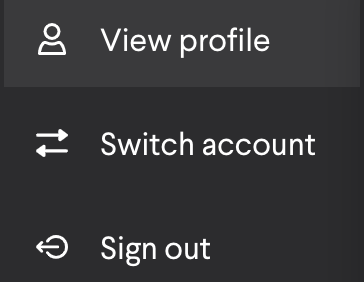
All system emails will route to the email address of the person, just like they do with single-tenant accounts. The only difference with multiple-tenant accounts is that emails will differ in their tenant-specific characteristics, such as logo and name.
Comments
0 comments
Please sign in to leave a comment.